Cart Progress Bar 2 (Motivate to Spend More – Multi-Step Rewards & Free Shipping Bar, Upsell cart)
 Cart Progress Bar 2 (Motivate to Spend More – Multi-Step Rewards & Free Shipping Bar, Upsell cart)
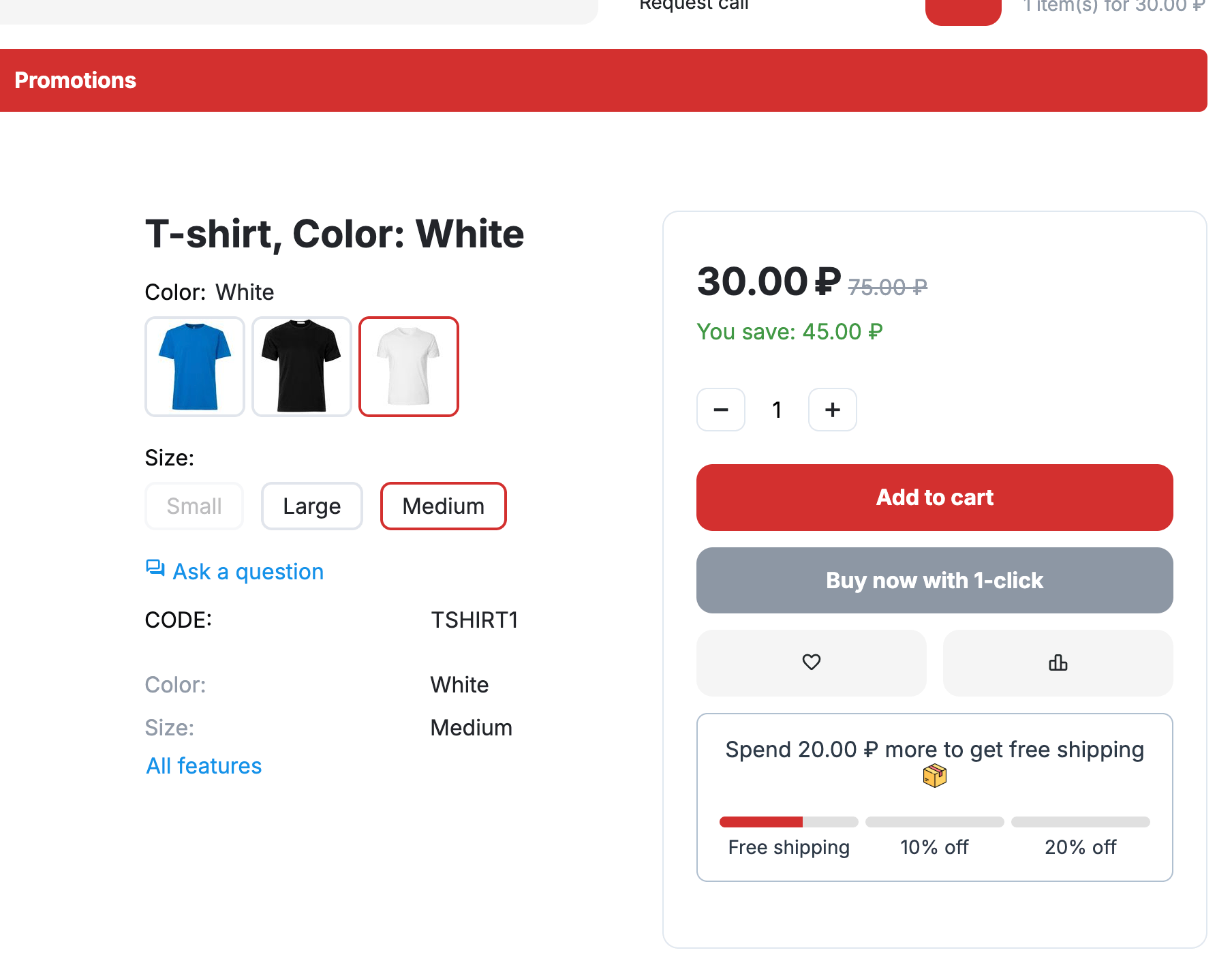
 Boost your sales with the ultimate CS-Cart upsell add-on.
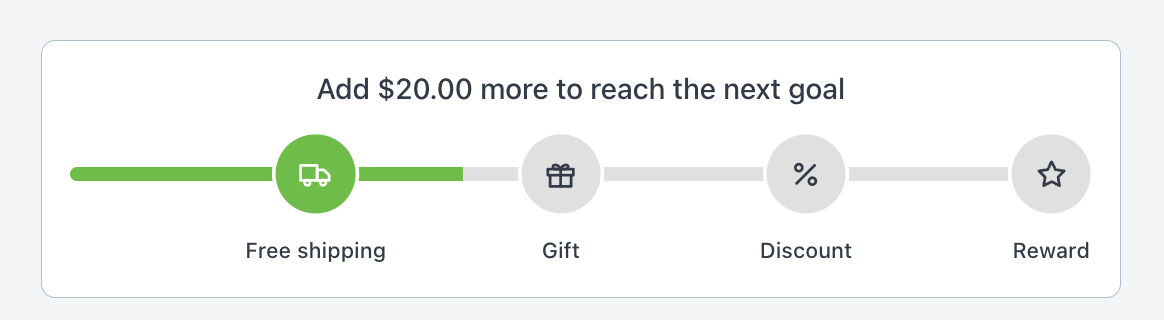
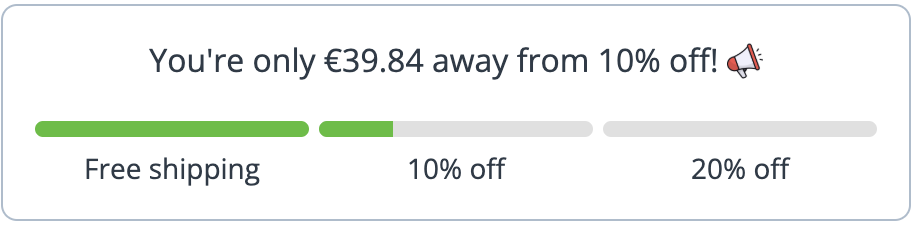
The Cart Progress Bar motivates customers to add more products by showing real-time progress toward free shipping, discounts, or any rewards you define.
Live demos:
Unlike one-time popups, this add-on works across the entire shopping journey:
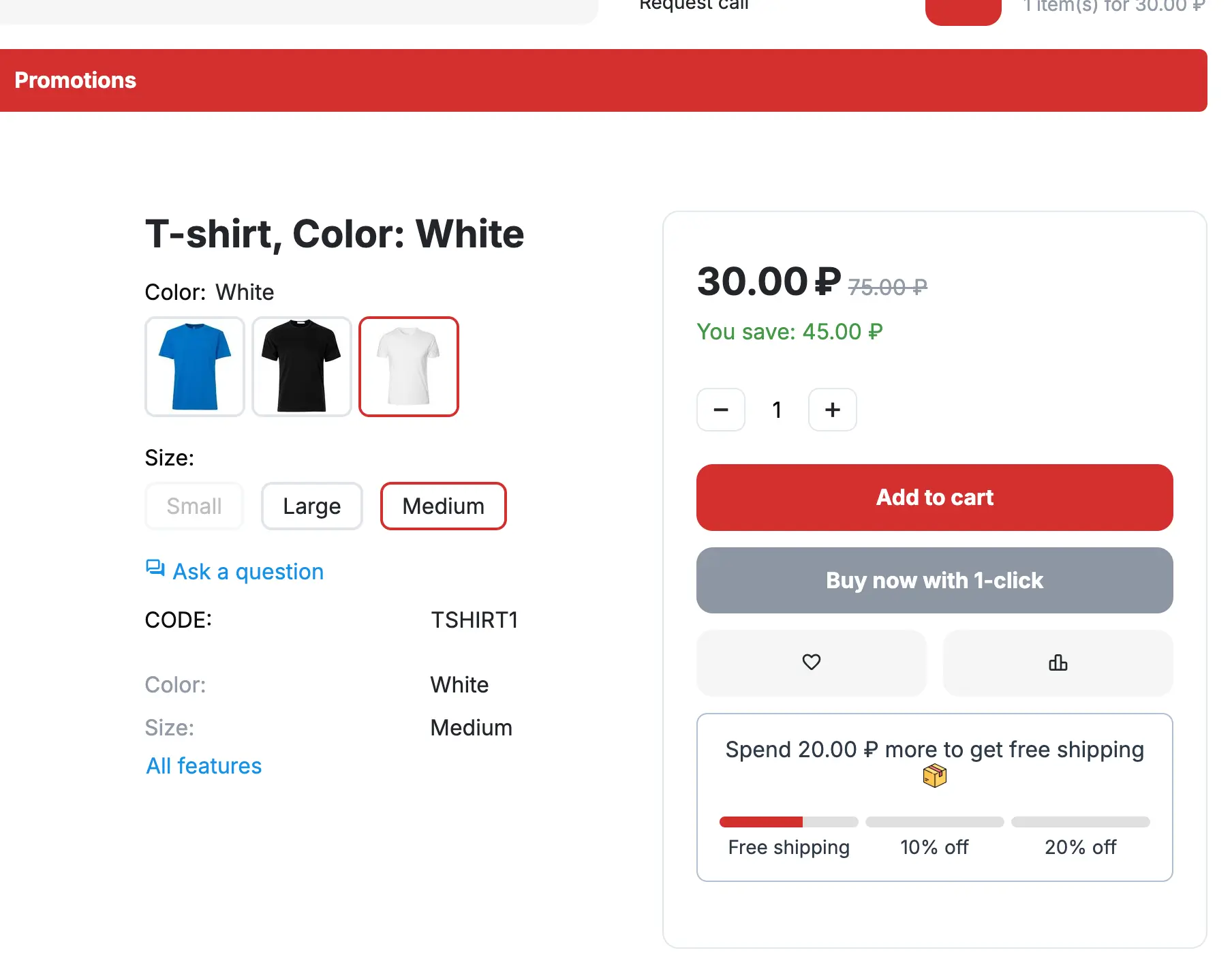
- Product detail page
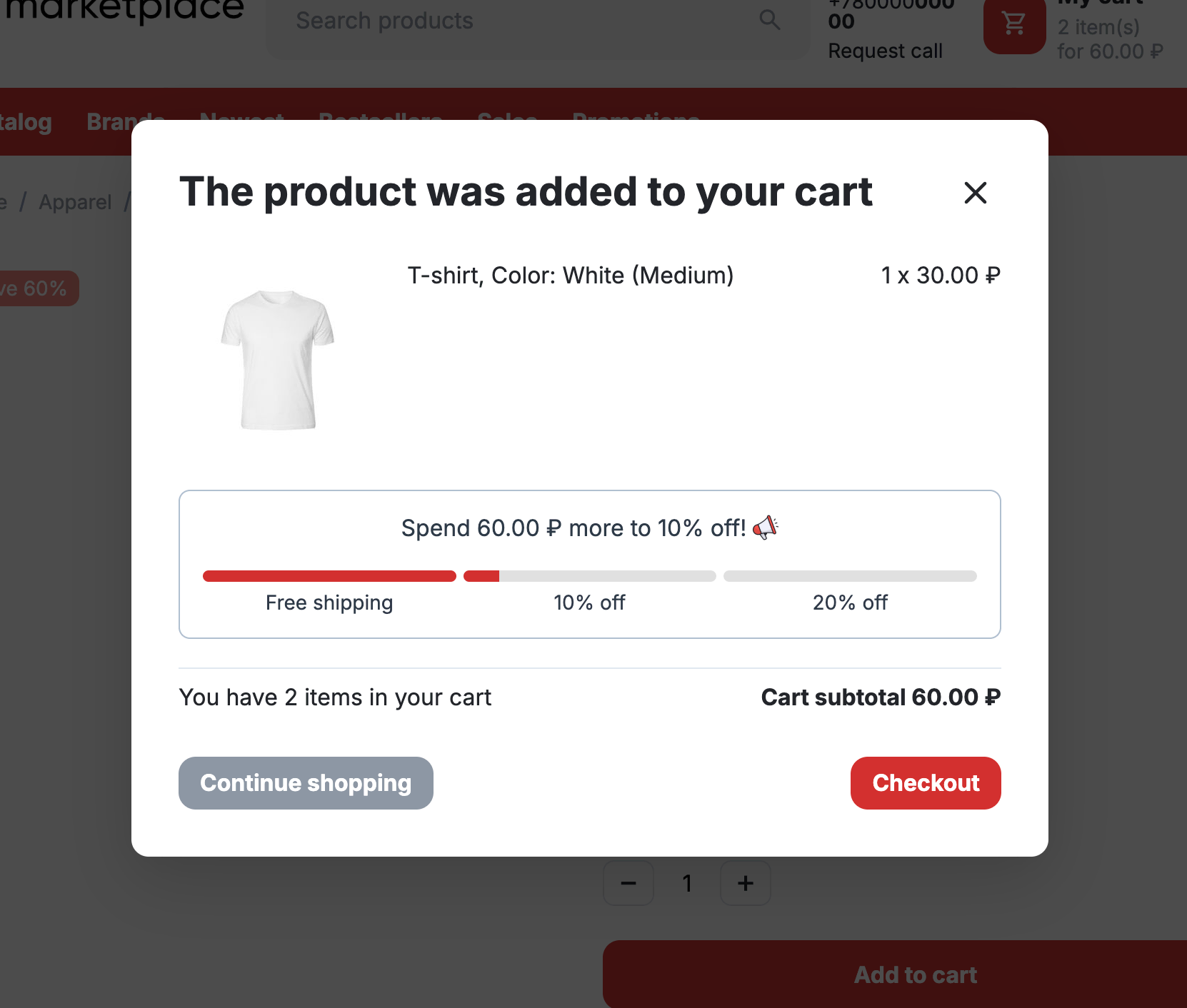
- Add-to-cart popup
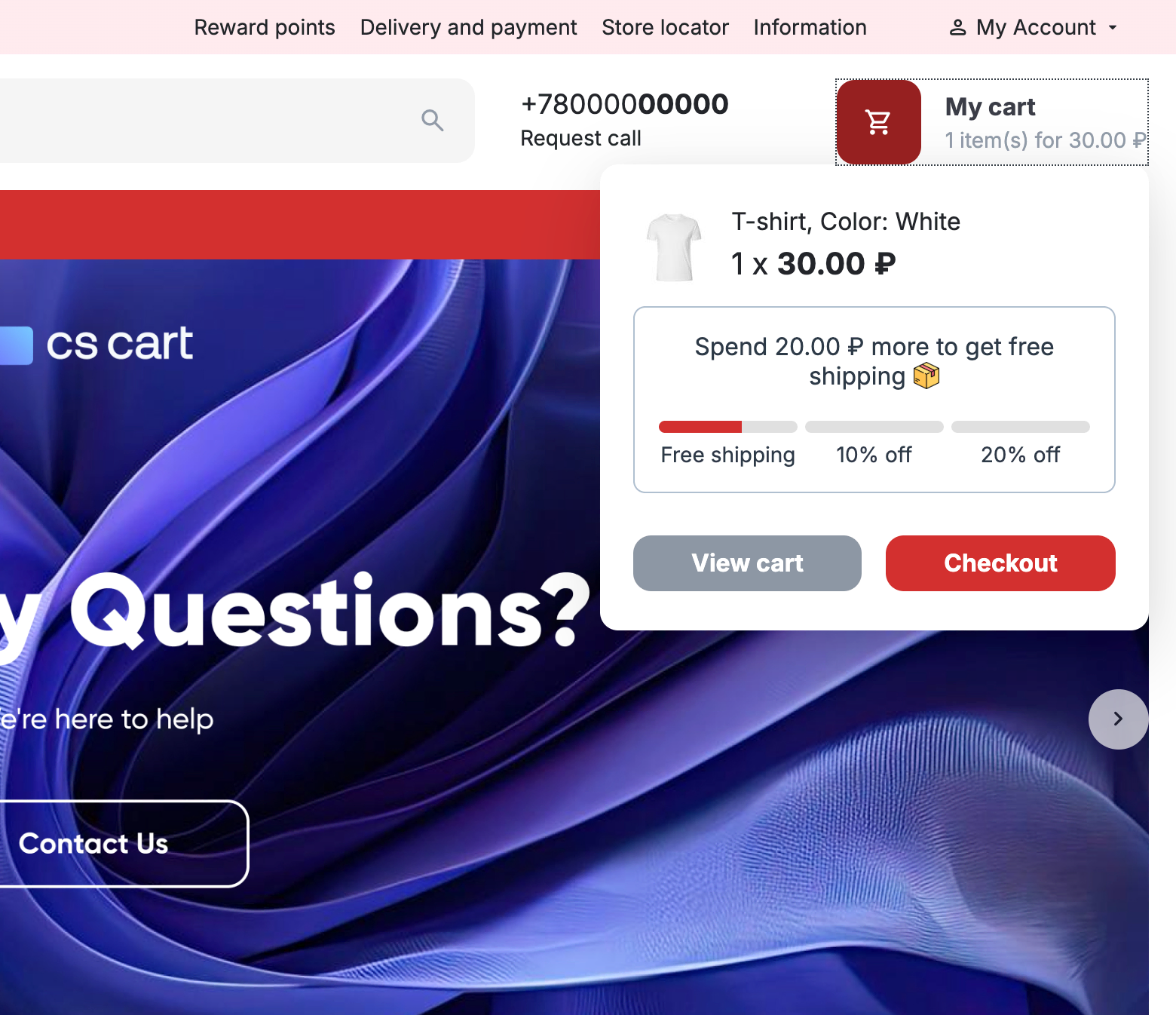
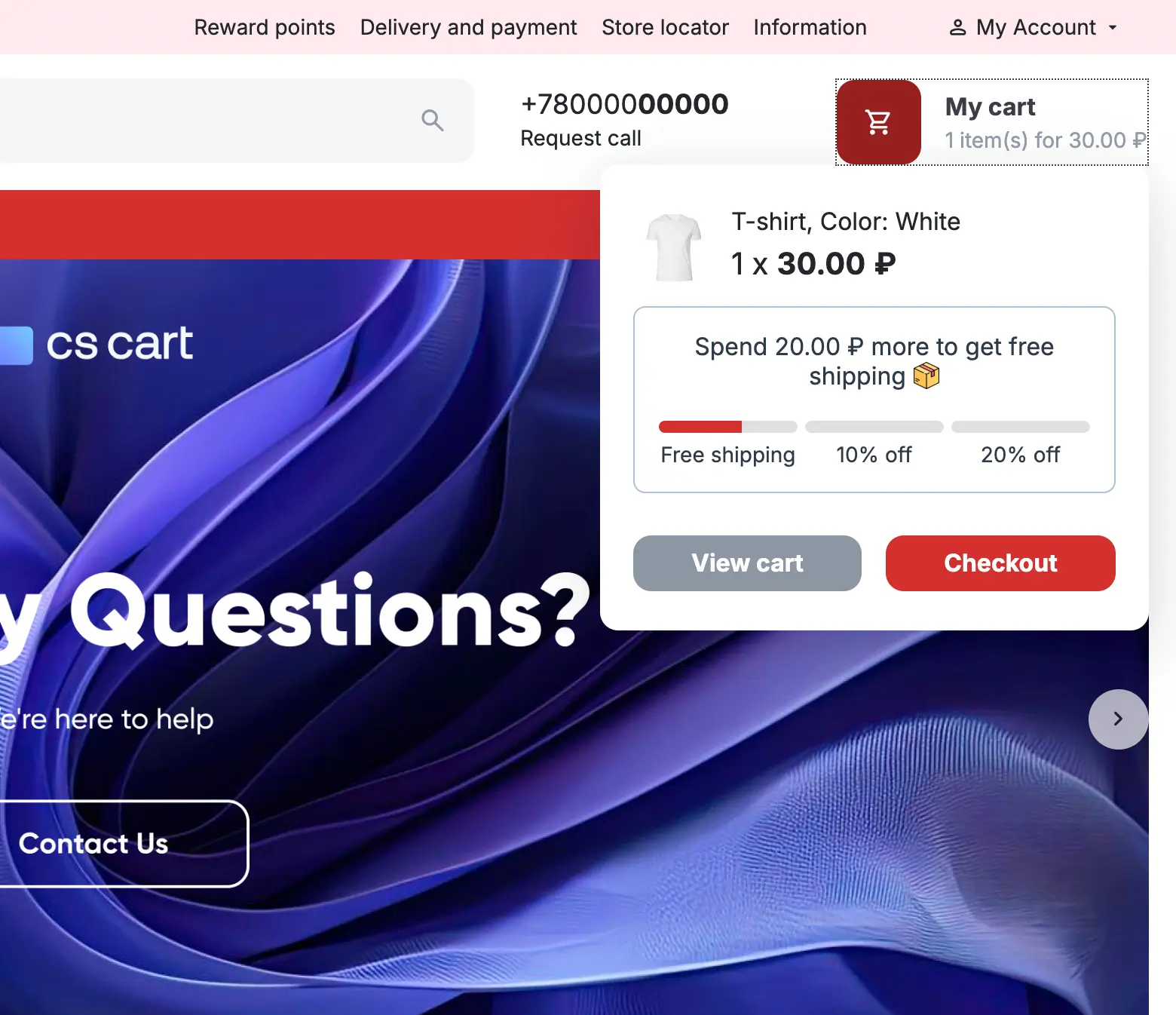
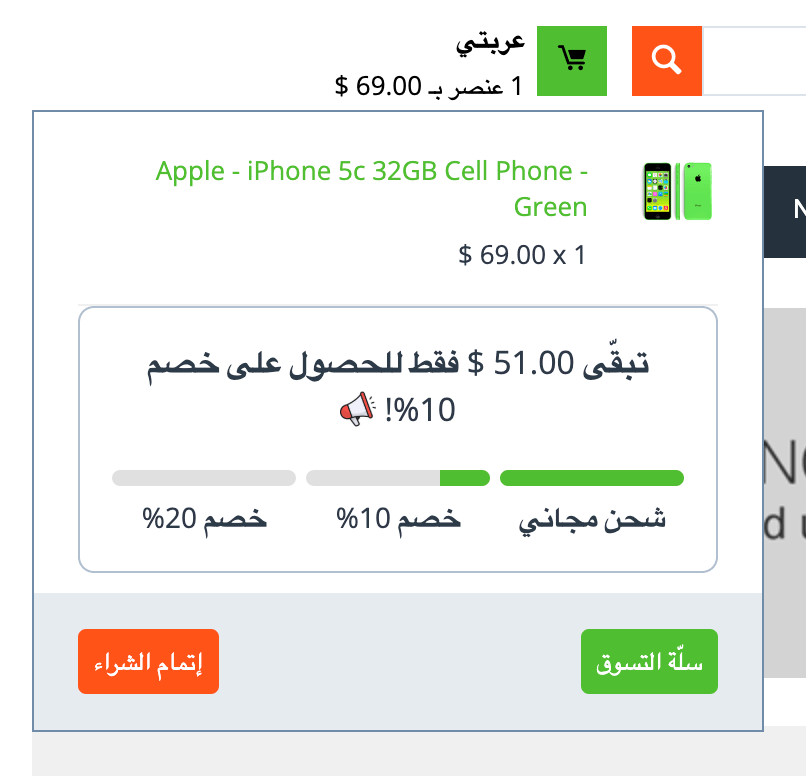
- Mini cart dropdown
- Full cart page
- Block
Wherever your customers interact with the cart, they see how close they are to the next reward.
- Multi-step rewards — set up free shipping, % discounts, or any custom promotions.
- Upsell everywhere — not just at checkout, but on every cart touchpoint.
- Multi-language support — fully translatable for global stores.
- Location support — you can set location for promo.
- Multi-currency ready — works seamlessly with all CS-Cart currencies.
- Flexible display — use it inside cart areas or as a separate block.
- Mobile-friendly design — clean look, easy to customize.
- Smart integration — works with cart-based promotions depending on cart subtotal.
- Multi-Vendor compatible — supports the Direct Customer-to-Vendor Payments add-on.
- RTL support — fully compatible with right-to-left languages like Arabic or Hebrew.
- Default user group restriction support — promotions respect the default customer user group automatically.
- Text placeholders — dynamic placeholders like
%_GOAL_AMOUNT,%_AMOUNT_LEFT, and%_BONUSfor fully customizable messages. - Developer hook support — new hook
ath_cart_progress_bar_get_front_promotionsallows extending or modifying promotions programmatically.
Turn your promotions into a powerful motivation engine: customers always see how much is left to unlock the next benefit, and that drives them to increase the cart total.
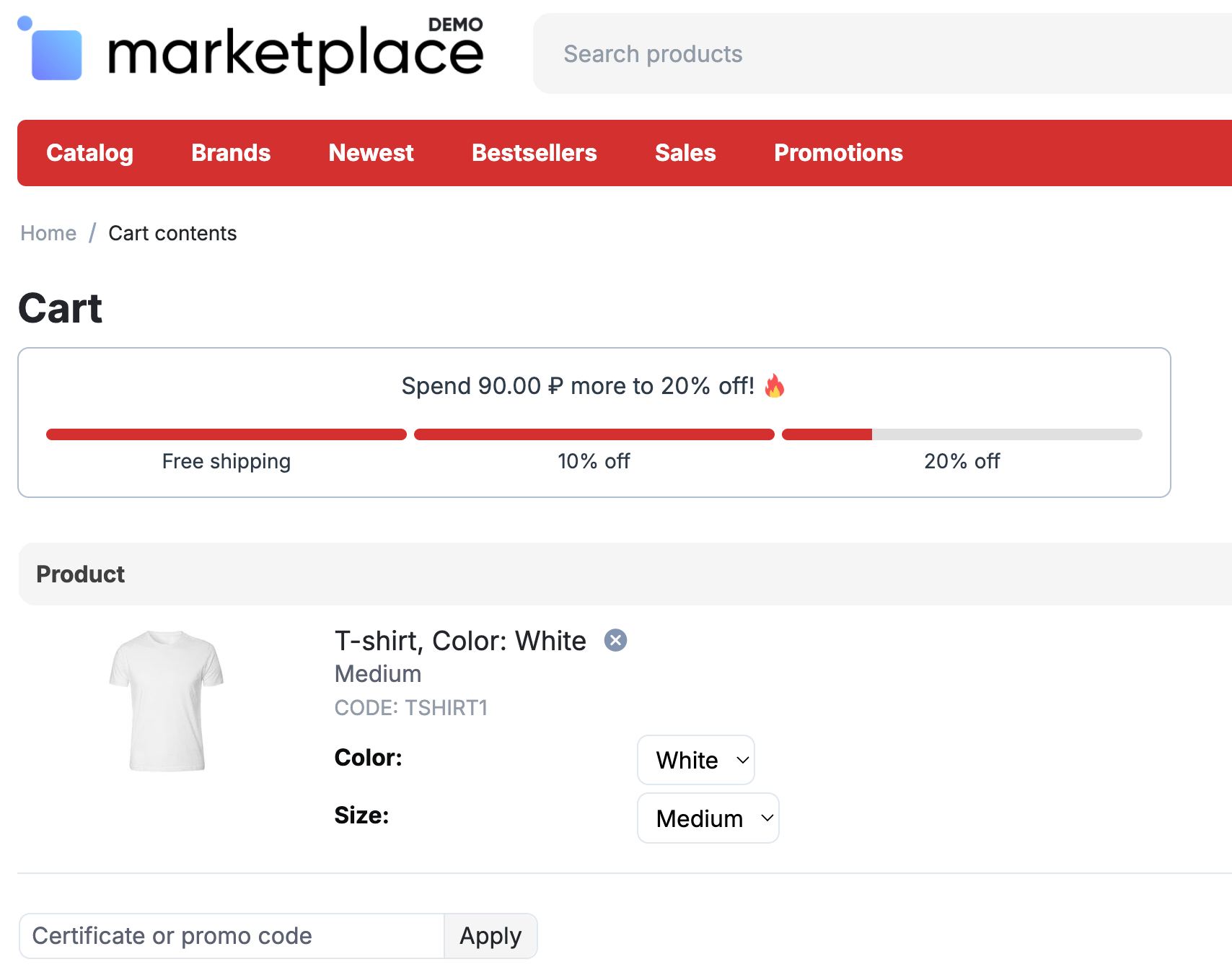
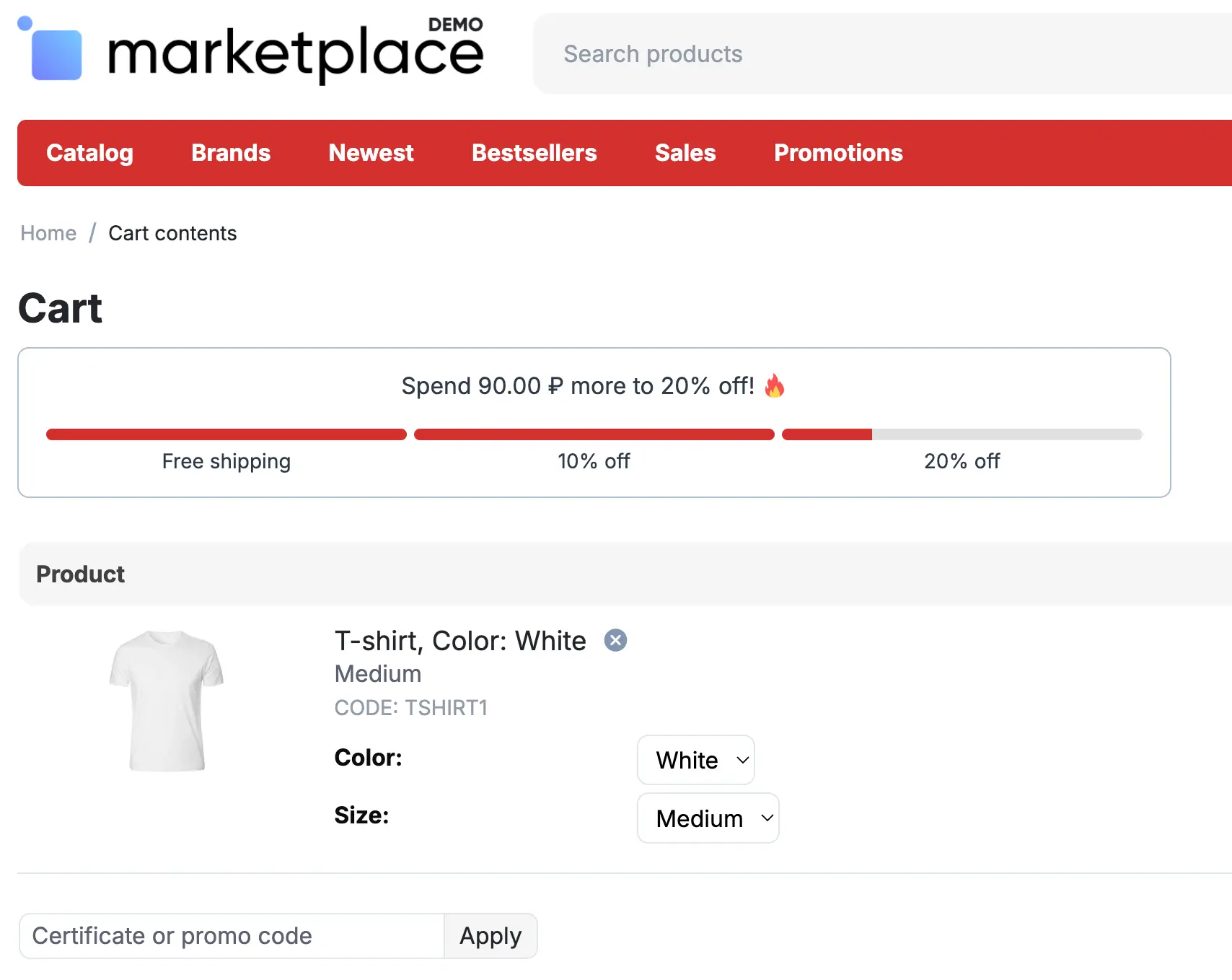
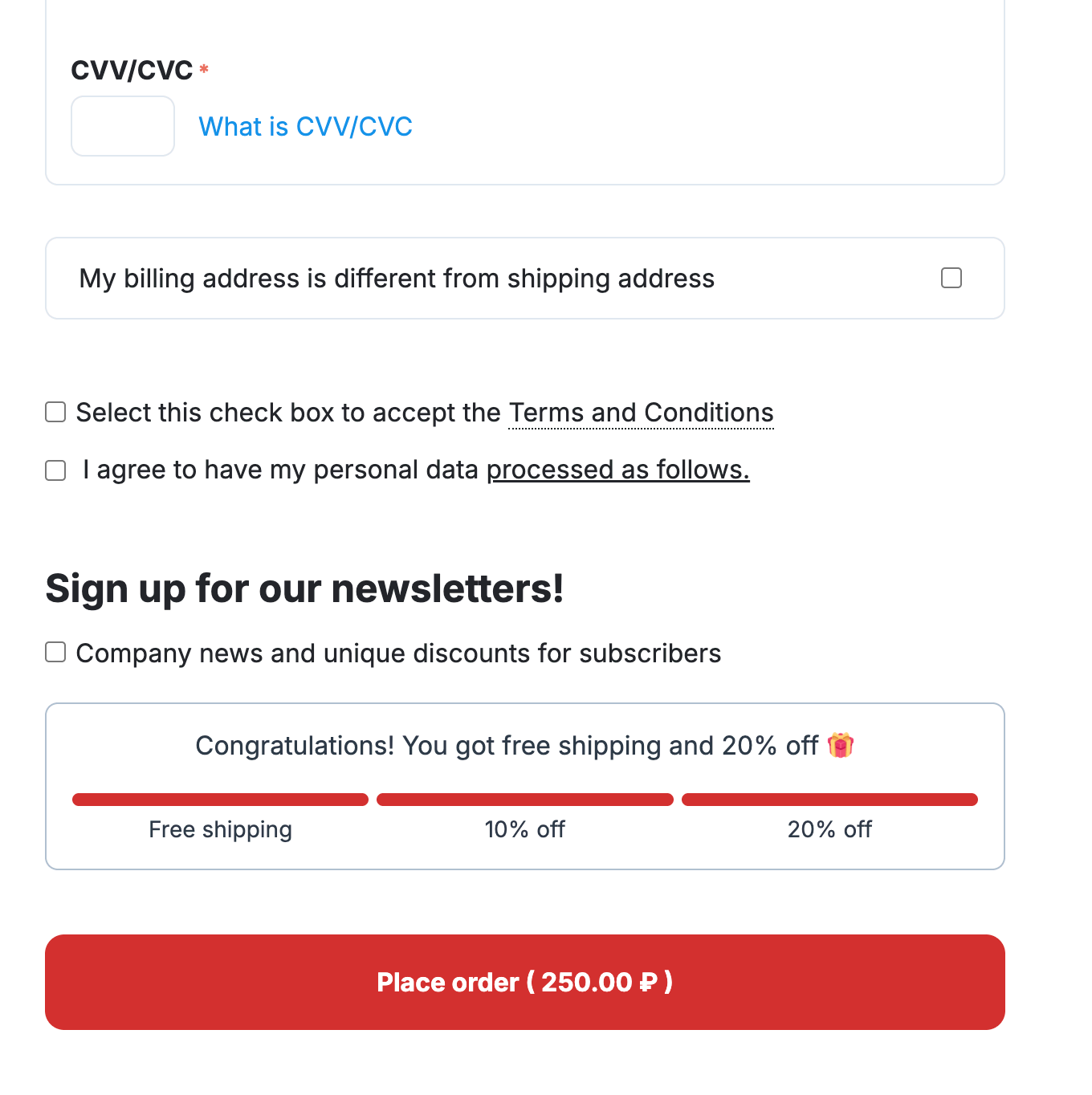
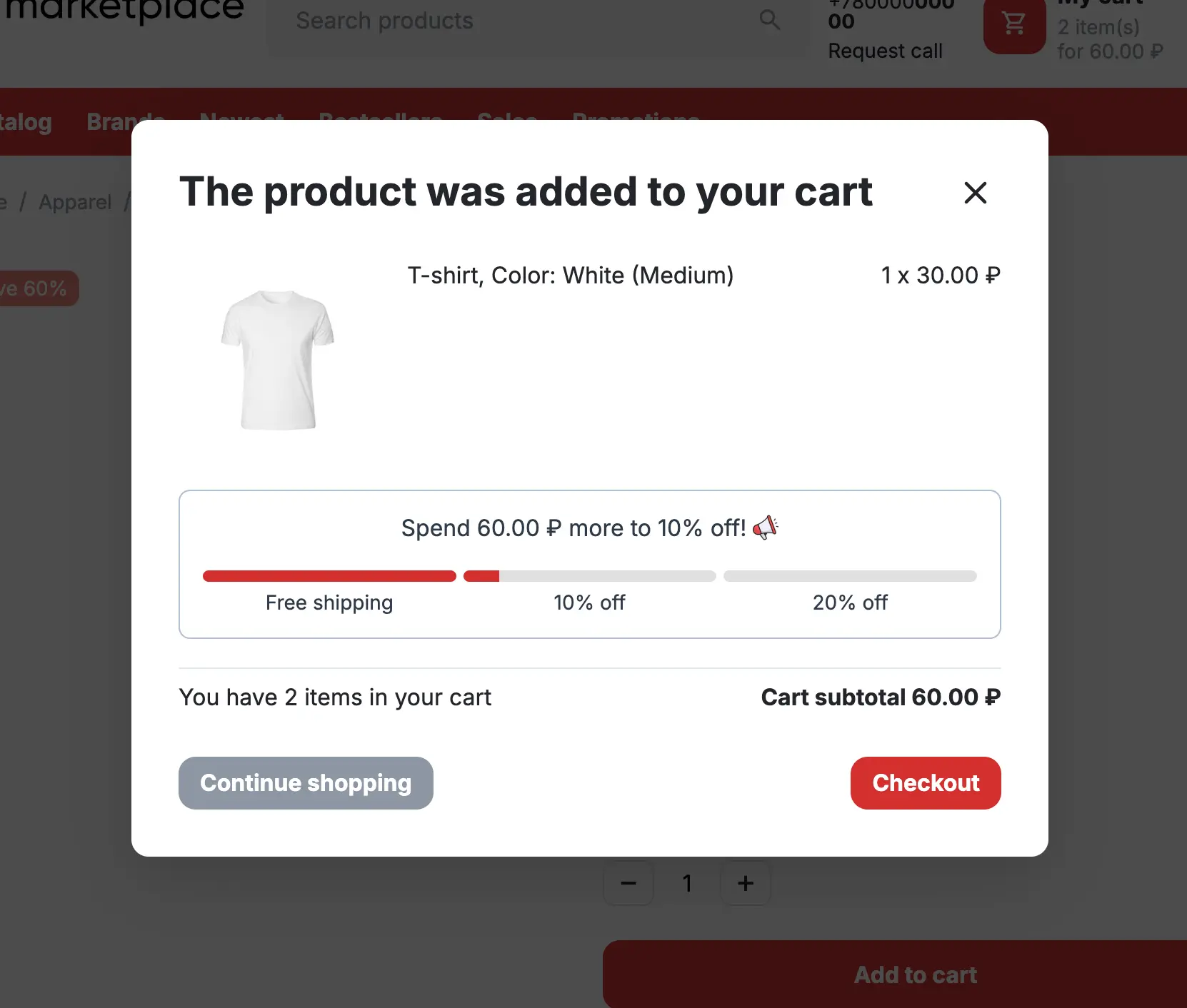
CS-Cart Free Shipping Bar and Upsell Cart Add-on
Cart Progress Bar 2 is a CS-Cart add-on that helps motivate customers to add more products to the cart by showing real-time progress toward free shipping, discounts, gifts, or other rewards. It is designed for stores that want to increase average order value and make cart-based promotions more visible during the shopping journey.
Unlike a one-time popup, Cart Progress Bar 2 can appear across important cart touchpoints, including the product detail page, add-to-cart popup, mini cart dropdown, full cart page, and separate CS-Cart blocks. Customers can see how much is left to unlock the next reward before they reach checkout.
Who should choose Cart Progress Bar 2?
- CS-Cart store owners who want to increase average order value
- Stores that use free shipping thresholds, discounts, gifts, or cart goals
- Projects that need a visible progress bar across product pages, cart popups, mini cart, and cart page
- Multi-Vendor marketplaces that use Direct Customer-to-Vendor Payments
- Stores that need multi-language, multi-currency, RTL, and customizable reward messages
Cart Progress Bar 2 compatibility
Cart Progress Bar 2 is developed for CS-Cart and related CS-Cart editions, including StoreBuilder, StoreBuilder Ultimate, Multi-Vendor, Multi-Vendor Plus, and Multi-Vendor Ultimate. Product prices do not depend on the CS-Cart edition, but customers should choose the product version that matches their CS-Cart installation.
Cart Progress Bar 2 FAQ
What is Cart Progress Bar 2?
Cart Progress Bar 2 is a CS-Cart add-on that shows customers their progress toward free shipping, discounts, gifts, or other cart-based rewards.
Who should choose Cart Progress Bar 2?
Cart Progress Bar 2 is a good choice for CS-Cart store owners who want to increase average order value by showing reward progress across the shopping journey.
Where can the cart progress bar be displayed?
The progress bar can be displayed on the product detail page, add-to-cart popup, mini cart dropdown, full cart page, and as a separate CS-Cart block.
What types of rewards does Cart Progress Bar 2 support?
Cart Progress Bar 2 can be used for free shipping thresholds, percentage discounts, gifts, custom promotions, and multi-step cart goals.
Does Cart Progress Bar 2 support CS-Cart Multi-Vendor?
Yes. Cart Progress Bar 2 supports CS-Cart Multi-Vendor and is compatible with the Direct Customer-to-Vendor Payments add-on.
Does Cart Progress Bar 2 support multiple languages and currencies?
Yes. Cart Progress Bar 2 supports multiple languages and works with CS-Cart currencies, making it suitable for international stores.
Does Cart Progress Bar 2 support RTL layouts?
Yes. Cart Progress Bar 2 supports RTL layouts, which is useful for stores using Arabic, Hebrew, Persian, Urdu, and other right-to-left languages.
Can developers customize Cart Progress Bar 2 behavior?
Yes. Cart Progress Bar 2 includes developer hook support, including the ath_cart_progress_bar_get_front_promotions hook for extending or modifying promotions programmatically.
Does Cart Progress Bar 2 stop working after the subscription expires?
No. Cart Progress Bar 2 continues to work on the activated domain after the updates and technical support subscription expires. The expired subscription only means that updates and technical support are no longer available until renewal.
How are Cart Progress Bar 2 updates delivered?
Cart Progress Bar 2 updates are delivered through the CS-Cart Upgrade Center while the updates and technical support subscription is active.
License
1 license = 1 CS-Cart installation principle.
Our Ultimate and MultiVendor Ultimate edition licenses work for all storefronts of a single CS-Cart Ultimate and MultiVendor Ultimate installation, accordingly.
Add-ons and Themes which have MultiVendor Edition label supports CS-Cart Multi-Vendor and CS-Cart Multi-Vendor Plus